
The Companion Shelf —The Enrollment Director
The guide is the map; this shelf holds the tools — demonstrations of the real work, downloadable templates, and exercises you can run with your team. It grows and changes between editions, which is why the guide points here rather than to individual items.
The Enrollment Layer Kit —
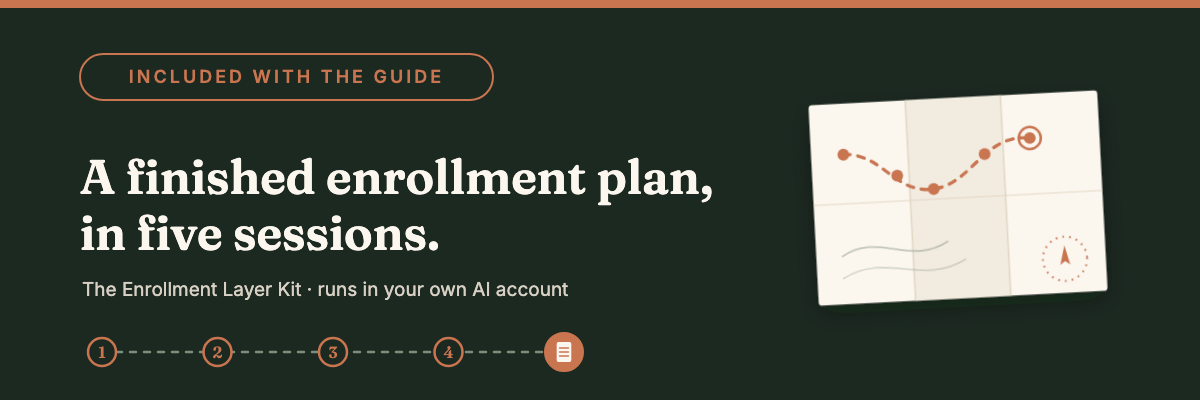
A strategic enrollment plan for your school, built with you, in your own AI account.
Session One ends with your positioning tested against the schools you actually lose to — useful the same week you run it. By Session Five you are holding the whole thing: the demographic and economic picture of your market, what families in it are signaling, your goals pressure-tested against that evidence, a 90-day action plan, and a memo written for your head.
The plan arrives finished. You build it — which is the only way a plan about your market can exist at all. A generic enrollment plan is worth about what it costs.
The work happens in your own Claude, ChatGPT, or Gemini account. Your funnel data stays in your school's account, and each session's summary lands in a folder you keep — something to pick up again next season rather than start over.
The kit lives on the web rather than in a PDF, because the prompts change as the tools do. Pairs with Chapter 9 of the Field Guide.
Tools You Can Use Today —
Free tools that live on the web rather than in a PDF. They need no login, they are always current, and they change as the public data behind them does.
They are also examples of what this guide is about. Each one was built with AI — finding the federal datasets, reconciling sources that disagree about geography, drafting, testing, and throwing out the versions that turned out to be wrong. None of them has AI running inside. The figures come from the public record and the comparisons come from a fixed table, so what you see is the record itself rather than a model's account of it.
Building with AI and running on AI are different things, and these are here so the difference is visible in something you can actually use on Monday.
Class of 2030
The children who will fill your entering classes through 2030 have already been born. If your main entry point is 6th or 9th grade, most of them are already living in your county — and already counted.
Choose your state and county, then the grade most of your new students enter — kindergarten, 6th, or 9th. Kindergarten reads the birth record. Sixth and ninth read the children the Census Bureau estimates are living in your county now, lined up by the fall they reach that grade. Beside either sits a second picture: how many households are arriving or leaving, and what they earn. Sometimes those point the same way. More often they split, and the split is the part worth reading.
Every figure comes from the public record — federal birth records, Census population estimates, and federal tax filings. What took the time was reconciling sources that disagree about geography, and getting the result down to a county you can read in about a minute. You can add up to three neighboring counties, since most schools draw across county lines.
It closes with questions written for your leadership team, and a view you can print or save for the board.
Free and ungated, like everything on this shelf — no login, no email. It lives on the web rather than in a PDF because the underlying figures are revised every year. Pairs with Chapter 9.
Can a Family Tell You Apart?
Paste the paragraph your school uses to describe itself, and see which of its phrases hundreds of other schools also use.
The tool highlights the shared vocabulary inside your own words, scores how much of your description sits in language the sector uses everywhere, and pulls out the sentences that are yours alone.
There is no grade in it. Schools share this vocabulary because they share the values, and nearly every school that writes community means it. The narrower question is what a family has to hold onto when your page is open next to three others.
You can filter to your division and compare against all schools, nonsectarian schools, or faith-based ones. Nothing you paste leaves your browser — the comparison runs against a table of phrase frequencies built once from schools' own descriptions in federal filings.
One limit worth knowing: the faith-based set is predominantly Christian academies that file their own federal returns. Catholic parish and diocesan schools are exempt from filing, so they are not in the comparison.
Free and ungated — no login, and the text never leaves your browser. Pairs with Chapters 9 and 15.
Try it with your own paragraph →
Your Backyard
Which parts of your market have you never spoken to? Your inquiry pool shows the families who already found you. This shows the families around you who are already choosing a school other than public school, neighborhood by neighborhood.
Type a ZIP code and see how many K–12 students in your neighborhood, and in every neighborhood near you, are enrolled outside public school. The share tells you how normal that choice is there. The count tells you how many children made it. A split by grade band shows whether families in your market decide early or late.
One thing to know as you read it: the Census counts home school in the same box as private school, so the number means "outside public school."
Free and ungated, like everything on this shelf: no login, no email. Each lookup has its own link, ready for your enrollment plan. Pairs with Chapter 9.
Resources by chapter —
Each item is what a chapter's "in practice" callout points to.
Chapter 1 — The AI Moment in Private-School Enrollment
Today's AI Impact on the Role of Enrollment Director — the long-form version of the question behind this chapter: which parts of the role are about to change, and which parts become the real source of your value.
Chapter 5 — The Enrollment Layer and Workflow Redesign
SR-16: Journey Mapping with Emotions — a ready-made team activity that pairs with the chapter's funnel decomposition: your team maps the family's experience of the funnel while you map its steps.
Chapter 8 — Yield, Financial Aid, and Re-enrollment
From Board Report to Decision Tool (video) — the Real AI Series video demonstrating the chapter's sequence on screen: a flat projection report becoming a working what-if decision tool.
Chapter 9 — Market Intelligence and the Strategic Enrollment Plan
The Enrollment Layer Kit — build your school's Enrollment Layer, then run the chapter's five-step planning method with it in your own Claude, ChatGPT, or Gemini account. It lives on the web rather than in a PDF, so the prompts stay current as the tools change.
Chapter 13 — Governing AI in Enrollment
The AI Leadership Posture Report — the free self-diagnostic for the three postures: it identifies the one you actually hold, with its strengths and characteristic risk named.
Templates & downloads —
Feel free to adapt to your school. One click to the PDF.


The Admissions Data Line Card — what never enters a public AI tool, plus the describe-by-stage anonymization test (Ch 3)
Enrollment Thinking-Partner Prompt Card — the starter prompt, the skeptical-parent adversarial read, and the non-negotiable review list (Ch 4)
Family-Facing AI Transparency Statement Skeleton — a fill-in statement of how the admissions office does and does not use AI (Ch 7)
Committee Room Norms for the AI Era — five pre-season norms plus the synthesis-versus-scoring bright-line test (Ch 7)
Enrollment AI Posture Statement Worksheet — name your posture, then write one position in three registers: family, team, head (Ch 13)
Six Starting Rules for the Admissions Office — day-one AI rules you can set in one team meeting (Ch 3)
The Enrollment AI Policy — the six-part function-level policy the day-one rules grow into, with fill-in blanks (Ch 13)
Enrollment Agent Diligence Checklist and Oversight Register — two sorting questions, five diligence items, and the one-page agent register (Ch 12)
I add to this shelf regularly, alongside each new edition of the guide. New demonstrations and templates land here first.
Occasional notes from Linda
Updates when there's something worth sharing. No schedule. No spam.